The First AI That Controls Your Computer
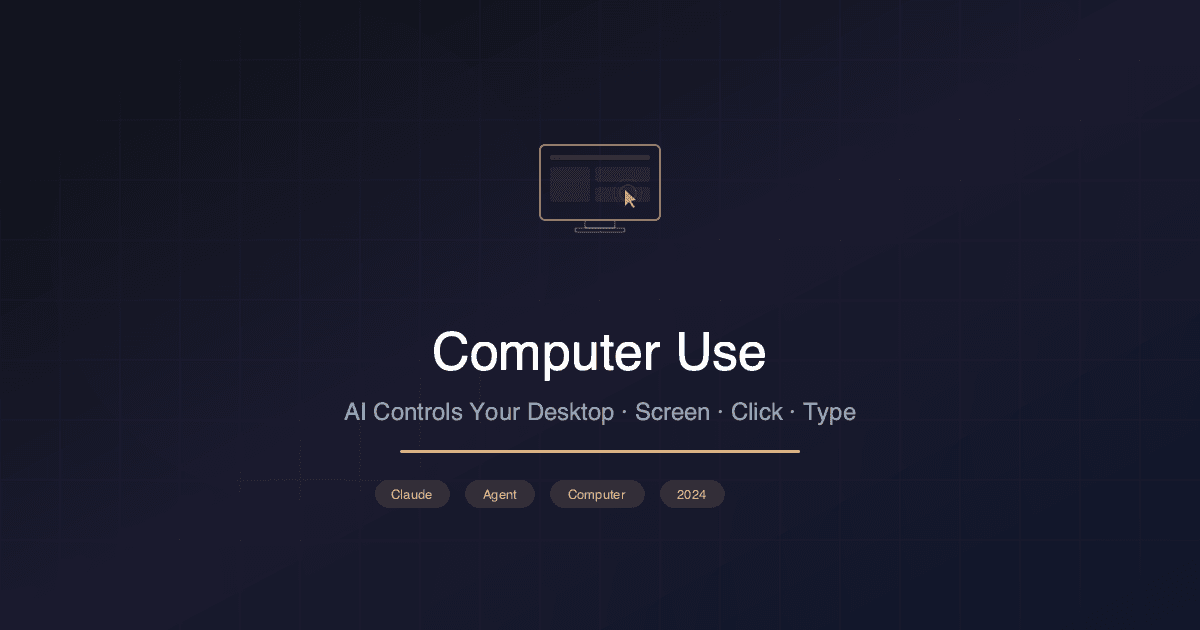
On October 22, 2024, Anthropic released a groundbreaking capability: Claude can now see your screen, move the mouse, type on the keyboard, and interact with any application—just like a human user. Called "computer use," this feature transforms Claude from a text-based assistant into an autonomous agent that operates software directly.
This isn't browser automation or API integration. Claude literally looks at screenshots, understands what's on screen, and decides where to click, what to type, and how to navigate. It works with any application—desktop software, web apps, terminals, design tools—anything with a visual interface.
How Computer Use Works
The architecture is elegantly simple:
1Loop:
21. Take screenshot of current screen
32. Send to Claude with task context
43. Claude analyzes the screenshot
54. Claude returns an action:
6   - click(x, y) — click at coordinates
7   - type("text") — type text
8   - key("Enter") — press a key
9   - screenshot() — take another screenshot
105. Execute the action
116. Go to step 1
Claude processes each screenshot as an image, identifies UI elements (buttons, text fields, menus), understands their context, and determines the next action to take toward completing the user's goal.
1# Using Claude computer use via the API
2import anthropic
3
4client = anthropic.Anthropic()
5
6response = client.messages.create(
7    model="claude-3-5-sonnet-20241022",
8    max_tokens=1024,
9    tools=[
10        {
11            "type": "computer_20241022",
12            "name": "computer",
13            "display_width_px": 1920,
14            "display_height_px": 1080,
15            "display_number": 1,
16        },
17        {
18            "type": "text_editor_20241022",
19            "name": "str_replace_editor",
20        },
21        {
22            "type": "bash_20241022",
23            "name": "bash",
24        }
25    ],
26    messages=[{
27        "role": "user",
28        "content": "Open Firefox, go to siyaz.com.tr, and take a screenshot"
29    }]
30)
What Can It Do?
Real-world demonstrations include:
- Web research: Open browser, search, navigate pages, extract information
- Data entry: Fill forms across multiple applications
- Software testing: Navigate UIs, test workflows, report bugs
- System administration: Terminal operations, configuration changes
- Design review: Open Figma, analyze designs, leave comments
- Spreadsheet work: Open Excel, create formulas, format data
Example workflow—filing an expense report:
- Claude opens the email with the receipt
- Reads the amount, vendor, and date
- Opens the expense management system
- Navigates to "New Expense"
- Fills in all fields from the receipt
- Uploads the receipt image
- Submits the report
Benchmark Performance
Anthropic evaluated computer use on the OSWorld benchmark—a standardized test for computer-operating agents:
| Agent | OSWorld Score | Approach |
|---|---|---|
| Claude 3.5 Sonnet (computer use) | 22.0% | Screenshot + action |
| GPT-4V + SeeAct | 11.8% | Screenshot + action |
| GPT-4V + Set-of-Marks | 8.4% | Annotated screenshots |
| Human baseline | 72.4% | Direct interaction |
While 22% may seem low compared to humans, it represents a 2x improvement over the previous best AI agent and demonstrates the viability of the approach.
Architecture: Three Built-in Tools
Computer use comes with three complementary tools:
- Computer Tool: Mouse/keyboard control + screenshots
- Text Editor Tool: Direct file editing (more reliable than typing into editors)
- Bash Tool: Terminal command execution (faster than typing in terminal UI)
1# Claude decides which tool to use based on the task:
2# - Need to interact with a GUI? → Computer Tool
3# - Need to edit a file? → Text Editor Tool
4# - Need to run a command? → Bash Tool
5
6# This hybrid approach maximizes reliability:
7# GUI for visual tasks, direct tools for text/code
Safety Considerations
Computer use introduces unique safety challenges:
- Prompt injection: Malicious content on screen could redirect Claude
- Irreversible actions: Deleting files, sending emails, making purchases
- Credential exposure: Claude might see passwords or sensitive data
- Scope creep: Agent might take unintended actions while pursuing a goal
Anthropic's recommendations:
- Run in sandboxed environments (VMs, containers)
- Implement human-in-the-loop confirmation for sensitive actions
- Limit access to specific applications
- Monitor and log all actions
- Don't expose to untrusted content
The Agentic AI Race
Claude's computer use launched alongside competing agent capabilities:
| Company | Agent Product | Approach |
|---|---|---|
| Anthropic | Computer Use | Screenshot + click |
| Project Mariner | Browser DOM access | |
| Microsoft | Copilot Actions | Office integration |
| OpenAI | Operator (rumored) | Browser automation |
| Adept | ACT-1 | Screenshot + click |
The approaches vary: Anthropic uses pure vision (screenshots), while Google's Mariner accesses the browser's DOM directly. The vision-based approach is more universal (works with any app) but less reliable than structured access.
Impact on Software Development
Computer use has profound implications for how we build and test software:
- QA automation: AI agents that test software like human users
- Legacy system integration: Connect old systems without APIs
- Accessibility testing: AI verifies software works with different input methods
- User experience research: AI navigates products and reports friction points
For developers, computer use means AI can now interact with your tools directly—not just generate code, but run it, test it, and iterate based on visual results.
Sources: Anthropic Blog, Computer Use API Docs, OSWorld Benchmark